
Spreadsheets work for static numbers. Shared expenses are not static. People add costs on the go, use phones, and expect updates instantly.
What starts as a simple sheet often turns into version conflicts and broken formulas. That friction causes more problems than it solves.
This article explains why spreadsheets fall short for shared expenses and how to track them properly without using spreadsheets at all.
"We used to track shared expenses in notes or spreadsheets. It never lasted. Someone forgot to update it or numbers stopped matching." - Martynas Baniulis

Spreadsheets were built for controlled, static data, not for shared expenses that change in real time. In group situations, people add costs on the go, use different devices, and expect everyone to see updates instantly. That workflow clashes with how spreadsheets actually work.
What usually starts as a simple sheet quickly turns into confusion. Someone edits the wrong cell, another person works on an outdated version, and formulas stop matching reality. Instead of helping the group stay aligned, the spreadsheet becomes another thing to manage, explain, and fix.
These limitations show up almost immediately once more than one person is involved.
❌ Spreadsheet Limitations:
• Difficult to use on mobile devices
• Version conflicts when multiple people edit
• No real-time collaboration features
• Complex formulas that break easily
• Poor user experience for non-technical users
• No automatic settlement optimization
As a result, spreadsheets shift the focus away from sharing expenses and toward managing the tool itself. Groups spend more time fixing numbers than settling costs.
Instead of forcing spreadsheets to handle shared expenses, use a tool like Bill Split Pro built specifically for group cost tracking. The process stays simple and mirrors how people actually share money. Here’s how to use it step by step.
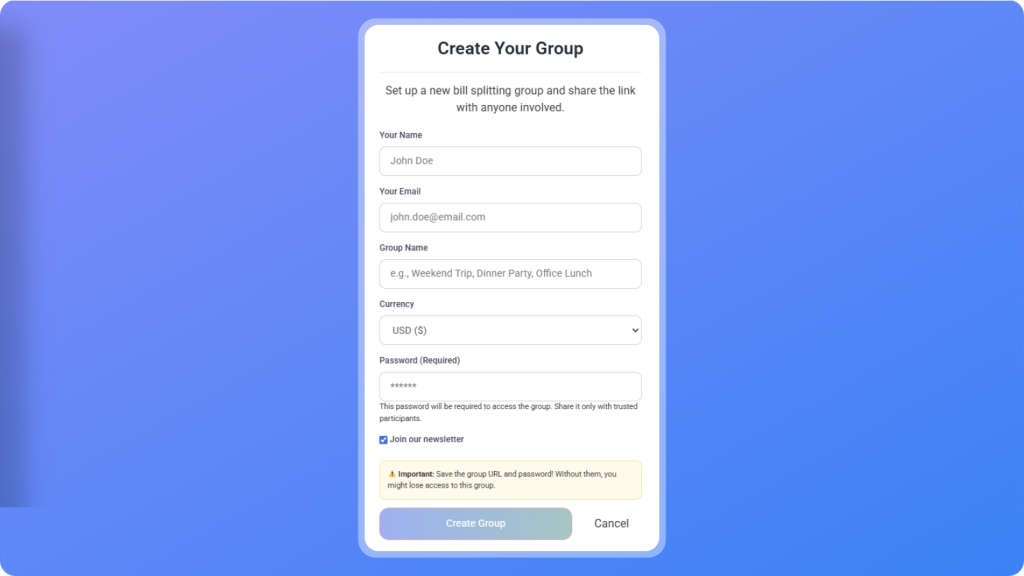
To start tracking shared expenses without spreadsheets, go to our bill split calculator page and click Create Group. Name the group after what you’re splitting, such as a trip, shared apartment, dinner, or ongoing monthly costs.
That group becomes the single place where all shared expenses are added and updated. Everyone sees the same numbers in real time, changes apply instantly, and there are no files, versions, or follow-ups to manage. One group replaces spreadsheets, copied tabs, and message threads entirely.
✅ A group can represent:
• A trip
• Roommates
• A dinner group
• Ongoing shared costs
One group replaces multiple spreadsheet tabs, copied files, and “latest version” messages. There is no risk of someone editing the wrong sheet or working with outdated numbers.
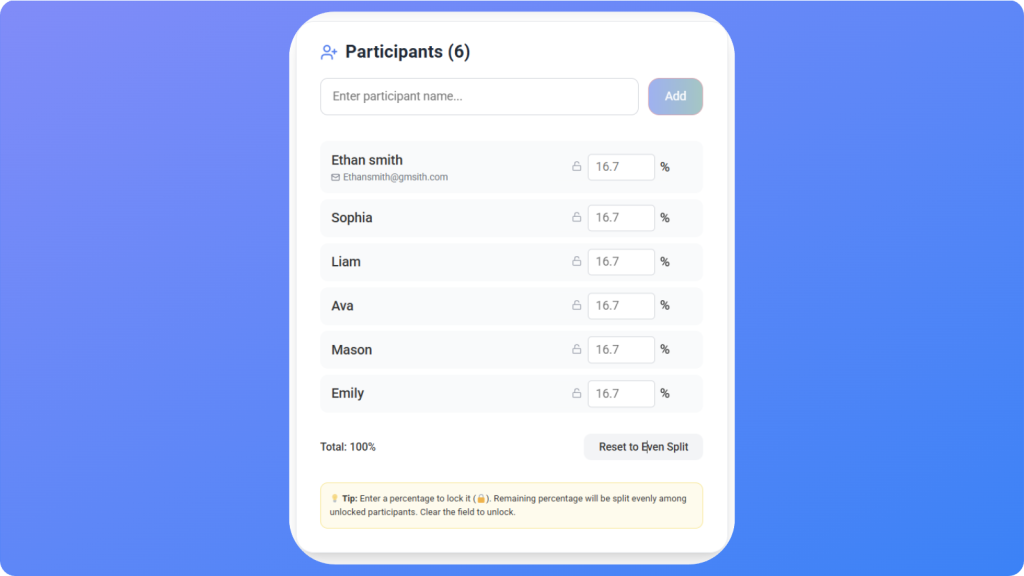
Add everyone who will share expenses in the group.
Participants can be added or removed at any time. This matters because real-life groups change. People join late, leave early, or only participate in some expenses.
🧮 Each participant sees:
• What they paid
• What they owe
• What others paid
• The current balance at all times
No one has to calculate anything manually or ask for updates.
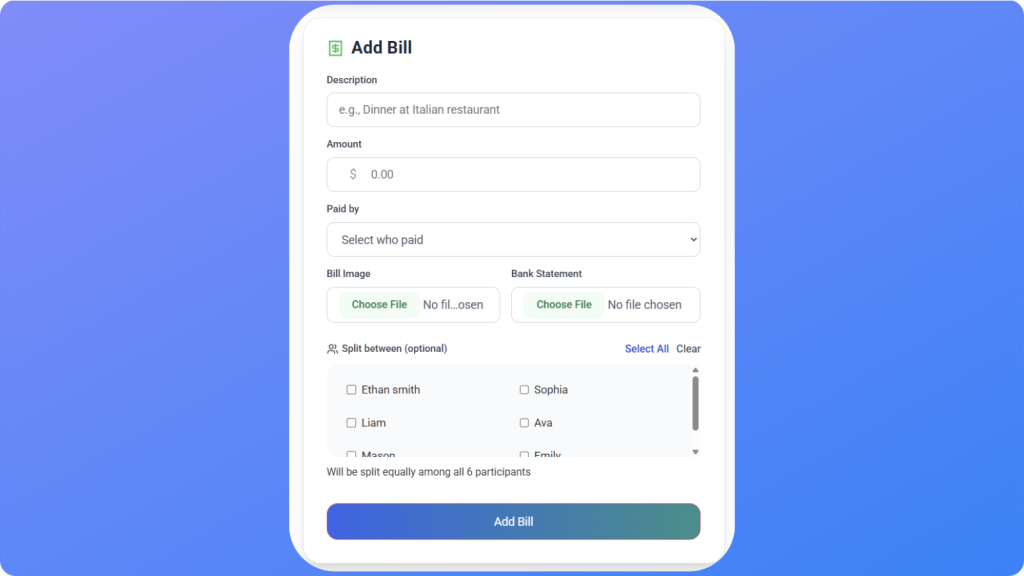
Add expenses the moment they occur.
 For each expense:
• Enter the amount
• Select who paid
• Select who should split it
• How it should be split
Expenses can be shared equally, split by participants, or adjusted based on the situation. Balances update instantly for everyone in the group.
You can also upload a photo of a receipt and let the AI import the bill automatically. If you have multiple transactions, you can add a bank file and the calculator will process them at once.
There’s no waiting until the end, no manual math, and no formulas to fix later.
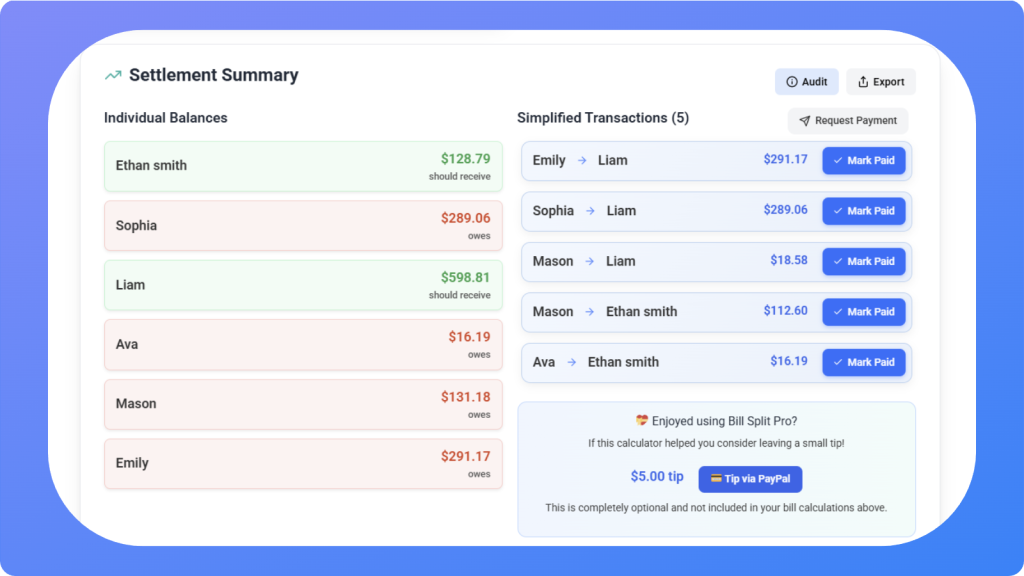
As expenses are added, balances update automatically.
🚀 You always know:
• Who owes money
• Who should receive money
• How much needs to be settled
Instead of everyone owing everyone else small amounts, the system calculates the simplest way to settle up. Fewer payments. Less back-and-forth.
This replaces manual settlement tables, screenshots, and follow-up messages.
This approach matches how people actually share expenses.
🚀 It is:
• Mobile-first
• Real-time
• Built for multiple contributors
• Flexible when participation changes
Instead of forcing spreadsheets to behave like expense tools, you use a system designed for the job from the start.
That shift removes friction, reduces mistakes, and keeps shared expenses focused on fairness rather than fixing files.

Tracking shared expenses should feel simple and predictable. When everyone sees the same numbers and updates happen automatically, there is nothing to debate or double-check.
Spreadsheets break down because they were never built for changing groups, mobile use, or real-time updates. A shared expense tool removes that friction by design.
Create a group. Add people. Add expenses as they happen. Share one link. Send payment requests.
When tracking is easy, settlements stay fair and shared expenses stop becoming a problem at all.
📊
Experience modern expense tracking with Bill Split Pro. No downloads, no spreadsheets, just simple and effective group expense management.
Better Than Spreadsheets
